Answer:
Turning the watermark on
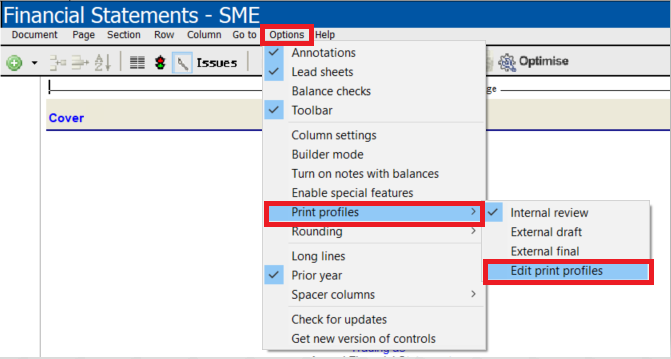
Open the financial statements and go to Options | Print profiles | Edit print profiles
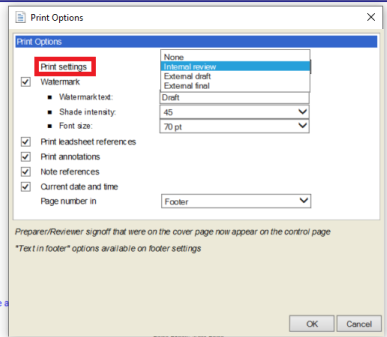
On the drop down menu for print settings select a print options for your financials
NB: To show the watermark select between Internal review and external draft.
Turning the watermark off
Open the financial statements and go to Options | Select edit print profiles
Untick watermark (if print settings; Internal review or External draft are selected) OR select the print setting; external final
Rate this article:
|vote=None|
Processing...
(Popularity = 0/100, Rating = 0.0/5)
Related Articles
What should I do if the watermark is printing incorrectly in the financials?
How do I add / modify / remove flip account settings?
How to reconcile undefined differences in the Balance check when the Net Income per IS doesn't equal NETINC account
How to Create / Edit and Print tick marks?
view all...