Browse to the client file directory
i.e. C:\Program Files (x86)\CaseWare\Data\Client File
In this directory, look for temporary files and delete them, file type/extension is tmp
i.e. _$ABC Limited_User.tmp
Files that contain any of these characters \\_\\$ must be deleted. Only delete TMP files and files that you do NOT use.
Please Note: File name will be different depending on your client file name, but the file extension TMP must be the same. Should this error persist, restart your computer and integrate thereafter.
Instructions:
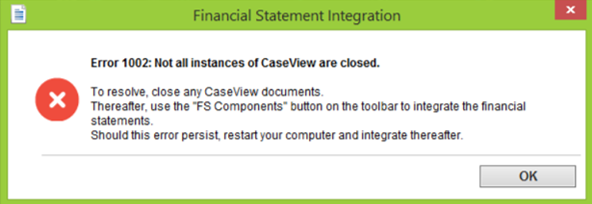
When clicking FS Components you may get a pop up Error 1002: Not all instances of CaseView are closed.
However, all CaseView documents are closed and the error persists. Follow these steps to resolve this error.
Rate this article:
|vote=None|
Processing...
(Popularity = 0/100, Rating = 0.0/5)
Related Articles
GRAP | How can support assist you during your Year End reporting
GRAP | PFMA | Preparing for Submission Deadline
view all...